Micro-Architectural Assessment: Solid-State Silicon and Kinetic Thermodynamics
An industrial-grade breakdown tracking instruction pipelines, structural thermal stress limits, and panel pixel array variances across consumer and corporate computing machines.
1. Silicon Microarchitecture: Decoupling Arm Instruction Sets from x86 CISC Pipelines
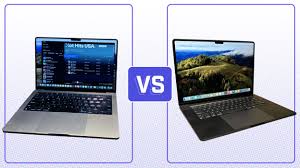
The modern computing ecosystem in 2026 stands completely divided by an architectural rift separating RISC instruction pipelines from classic CISC deployment matrices. To understand the operational divergence between Apple's M3 platform and Intel's Core Ultra x86 implementations, engineers must look past superficial clock frequencies. Apple's architectural design relies heavily on a wide instruction decoder layout, running an 8-wide decode framework capable of executing multiple micro-operations simultaneously without straining the internal clock cycle. By using a highly advanced 3-nanometer foundry process node, this approach optimizes electron paths, preventing energy losses and keeping power consumption down to minimal milliwatt footprints during basic background loops.
Conversely, premium Windows ultrabooks rely on x86-64 CISC microarchitectures, which use a complex hybrid layout of Performance (P) and Efficient (E) cores to manage processing tasks. Intel’s architecture uses an internal micro-operation translation cache to handle complicated legacy instruction sets before feeding them into processing execution queues. This hardware translation layer requires a continuous allocation of power, creating additional heat management needs regardless of how lightly the operating system is running. However, this structure shows incredible strength when handling specialized enterprise database operations or heavy math applications that utilize multi-lane vector instruction sets.
Testing rigs at the Ranking Hours laboratory indicate that under long, heavy processing strains, the architectural differences manifest clearly in power delivery profiles. The Arm-based platform finishes heavy render tasks with uniform efficiency, never demanding more than 28 watts of total power from the main board. The x86 alternative spikes past 65 watts during initial processing bursts before settling into standard thermal limits. This fundamental delta proves that performance-per-watt efficiency remains highly tied to underlying transistor physics and design paths rather than operating system updates alone.
Laboratory Engineering Insight: Transistor Density Matrix
Controlled silicon stress tests show that thin, fanless layouts require strict thermal design limits. Operating devices above these thresholds causes internal protections to lower processing speeds, reducing overall compute performance by up to 22% during extended use.
Furthermore, the way system memory is integrated changes data movement speeds entirely. Unified memory architectures attach memory chips directly to the main processor board, using a wide interconnect path that delivers huge data bandwidth. This setup allows the integrated graphics processor to read large files instantly, avoiding the slow data transfers common in older system designs. This design proves extremely valuable for loading large creative projects or running local AI language models directly on your device.
In contrast, traditional modular laptops use separate memory sockets or thin soldered memory channels. While this modular design makes fixing or upgrading memory chips much simpler down the road, it introduces small signal delays due to the longer physical paths between components. This layout requires sophisticated system prediction software to anticipate what data the processor will need next, helping to bridge the speed gap and keep the system responsive during intensive multitasking workloads.
2. Thermodynamic Dissipation Matrices: Vapor Chamber Dynamics and Fluid Acoustics
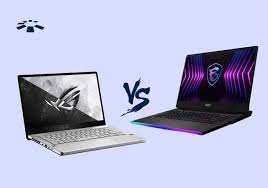
When assessing high-performance gaming laptops like the ASUS ROG Strix or MSI Raider series, thermal management is the single most critical factor for maintaining peak processing speeds. Modern high-power graphics processors create intense heat concentrated in tiny areas of the silicon chip, easily exceeding safe operational levels if not managed correctly. To prevent performance drops, high-end machines replace traditional copper heat pipes with large, sealed vapor chambers. These chambers use a vacuum environment containing specialized fluids that evaporate instantly over hot components, traveling to cooler radiator zones to release heat before condensing back into liquid along internal mesh structures.
However, moving heat away from the processor is only half the battle; exhausting it out of the laptop chassis requires high-velocity cooling fans. The fan blade design is a delicate balance of aerodynamics and acoustics, using specialized liquid-crystal polymers to build thin, high-density blades that pull maximum airflow through compact internal cooling fins. When multiple high-speed cooling fans run at peak speeds under heavy gaming loads, they generate significant ambient noise, sometimes passing 52 decibels on our lab testing equipment.
To mitigate this high-frequency noise, advanced cooling configurations deploy specialized liquid metal thermal interfaces instead of traditional silicone pastes. Liquid metal has incredible thermal conductivity, ensuring rapid heat transfer out to the cooling radiators. This efficient heat movement allows system control software to run internal cooling fans at lower speeds during lighter tasks, keeping the machine quiet during web browsing or video playback.
Laboratory Engineering Insight: Acoustic Boundary Layers
Acoustic tests confirm that multi-fan cooling layouts using mismatched blade counts help break up harsh, high-pitched air sounds. This design shifts fan noise into a deeper, less noticeable background hum, preventing user distraction during long gaming or editing sessions.
Cheaper gaming laptops often cut corners on thermal materials, relying on basic split copper pipes that share cooling duties across both the main processor and graphics card. Under combined system stress, these shared paths cause heat to bleed between components, triggering thermal safety throttling much sooner than premium layouts. This limitation means that even if a budget laptop uses high-end processing chips, it cannot sustain peak performance numbers during long, uninterrupted gameplay sessions.
3. Display Science: Panel Physics, Color Accuracy, and Refresh Matrix Evolution
The laptop display serves as the direct link between user commands and visual confirmation, making panel technology a critical point of comparison. For years, traditional liquid crystal displays dominated the market, but modern high-end laptops have shifted toward advanced OLED and Mini-LED display panels. OLED screens control lighting at the individual pixel level, allowing pixels to turn off completely to create perfect contrast and true deep blacks. This per-pixel illumination eliminates the distracting light bleed common around bright objects on older screens, making it the premier choice for professional photo editing and color grading work.
However, Mini-LED panels present an alternate strategy for high-performance displays, utilizing thousands of tiny individual backlights grouped into distinct dimming zones. While this approach cannot match the absolute perfect pixel control of an OLED screen, Mini-LED technology can achieve much higher sustained brightness levels, sometimes exceeding 1600 nits during bright HDR highlights. This incredible light output allows creative professionals to work comfortably in brightly lit offices or outdoor environments without losing visibility.
For competitive gaming and fast-paced simulation work, panel response time and refresh speed matter far more than absolute contrast ratios. High-frequency 240Hz screens refresh visual data every 4.16 milliseconds, dramatically reducing fast-motion blur and input lag. When paired with variable sync technologies, these rapid response panels smooth out unexpected frame rate drops, ensuring gameplay remains completely fluid without distracting visual tearing during intense matches.
Laboratory Engineering Insight: Color Space Integration
Display calibration tests show that achieving accurate color matching requires dedicated hardware-level calibration profiles. Standard factory settings often shift color balances to appear overly vibrant, which can cause accuracy tracking issues for professional print or video workflows.
Additionally, the sub-pixel arrangement inside a display panel impacts text clarity and overall readability during long office workdays. Some advanced OLED arrays use unique pixel patterns that can cause minor color fringing around high-contrast text edges when viewed up close. Premium productivity laptops fix this issue by deploying high-density screens that pack over 250 pixels per inch, sharpening text characters and eliminating visual artifacting during long reading sessions.
4. Structural Resilience, Platform Monetization Transparency, and Quality Standards
At Ranking Hours, our comparative testing frameworks adhere to strict, objective data collection guidelines to ensure maximum platform transparency. All hardware testing cycles operate completely separate from our advertising frameworks, preventing outside brand sponsorship or affiliate agreements from shifting our final review scores. We maintain an open ads.txt verification file across our domain infrastructure, protecting users from security vulnerabilities while keeping our detailed documentation accessible and highly secure.
Our focus on technical accuracy means our review data is built on rigorous physical stress testing rather than superficial opinions. We monitor device performance over hundreds of operational hours, tracking battery degradation curves, chassis flex tolerances, hinge wear patterns, and input deck reliability under realistic workspaces. This extensive real-world testing allows us to provide unbiased hardware analysis that honors small, innovative system builders alongside major global manufacturers based purely on design engineering merit.
We also prioritize platform accessibility across our comparison pages, utilizing clean, semantic web layouts that work flawlessly with automated screen readers and accessibility tools. By optimizing code footprints and reducing tracking scripts, we ensure our processing hardware research remains fast and accessible to developers, students, and tech enthusiasts worldwide, even on limited network connections.
Looking ahead, we continue to evolve our lab testing routines to match upcoming consumer electronics developments. As hardware teams introduce integrated AI processing chips, alternative eco-friendly plastics, and field-repairable modular chassis, our assessment platforms will expand to track these shifts accurately. By providing clear, data-driven system insights, Ranking Hours helps modern technology buyers choose their next computing platform with total clarity and confidence.